
A buyer-intent keyword is a search where the person is already comparing, evaluating or ready to act on a solution like yours. Search volume tells you how many people type the query, not how many of them could ever become customers, so it should be the last column you sort by, not the first.
This guide gives you a scoring worksheet you can build in a spreadsheet and apply to any keyword list, plus a way to check your scores against real data after you publish.
What makes a keyword "vanity"
In this guide, vanity keywords are terms that are broad or highly competitive and rarely match what you sell, such as "marketing" or "car". They tend to share three traits: mixed intent (the searcher might want a definition, a picture or a product), heavy competition from large sites, and weak fit with what you actually sell. Treat this as a working framing rather than proof of conversion rates.
The flip side is not "always go long-tail." It is "know what the searcher is trying to do before you decide the term deserves an article."
The intent ladder
Search intent is often grouped into four types (informational, navigational, commercial, transactional), which can be mapped to awareness, consideration and decision stages.
For scoring, a slightly more practical ladder for a software product looks like this (examples use project-management software):
- Rung 0, informational, weakly related: "what is a gantt chart". The reader wants a definition.
- Rung 1, problem-aware: "how to stop missing project deadlines". The reader has the pain but has not picked a solution type.
- Rung 2, solution comparison: "asana alternatives for small agencies". The reader is choosing between options.
- Rung 3, ready to act: "project management software with client portal" or "[brand] pricing". The reader has specific requirements or has chosen a vendor.
The higher the rung, the more likely a visit is part of a purchase decision. Rung 1 is not worthless; it is where you build awareness. It just should not be mistaken for demand that converts quickly.
Step 1: Define the buyer and real use cases
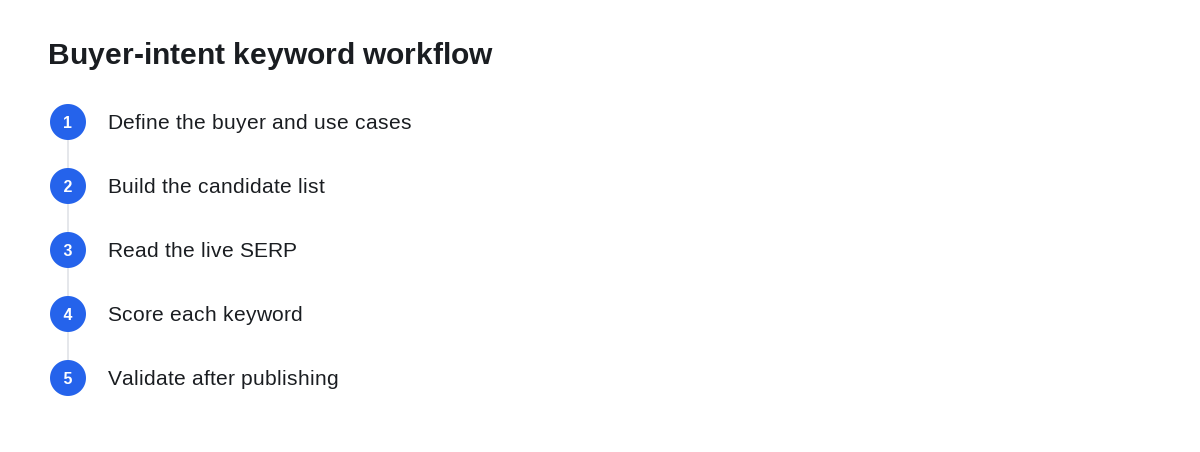
Before pulling any keywords, write down three things in the first tab of your spreadsheet:
- Who buys (role, company size, trigger event).
- The two or three use cases your product genuinely serves well.
- What the product does not do, so you can exclude those terms.
This becomes your "fit" reference. A keyword about enterprise resource planning is a poor fit for a lightweight tool for small agencies, however large its volume.
Step 2: Build the candidate list
Pull terms from several places rather than one tool's volume ranking:
- Seed terms that describe your category and use cases.
- "Alternatives" and "vs" queries involving competitors.
- Feature-plus-audience combinations ("with client portal", "for agencies").
- Your own Google Search Console queries, which show what already brings you impressions.
Keep columns for keyword, estimated monthly volume, and source.
Step 3: Read the live SERP
Tool labels for intent are estimates. A useful check is to search the term and look at what Google rewards. Note, per keyword:
- Page types: product pages, comparison listicles, definitions, forums, or news.
- Commercial signals: ads, review sites, pricing pages.
- Who ranks: if only huge household brands appear, winnability is low.
- Whether an AI Overview appears. The sources I reviewed don't include official documentation on how AI Overviews affect clicks for commercial queries, so treat this as a flag to watch in your own Search Console data rather than a rule.
If a blog post cannot match the page type Google is showing, the intent is not one you can serve with an article, however attractive the volume.
Step 4: Score each keyword
Use three 0–3 scores, then volume as a tie-breaker.
- Intent (0–3): the rung from the ladder above.
- Product fit (0–3): 3 means a use case you serve well; 0 means you cannot help this searcher.
- Winnability (0–3): based on the SERP read. 3 means small or niche sites rank and your content could realistically match the depth.
Suggested formula: Score = (Intent × 3) + (Fit × 2) + Winnability. Intent is weighted most because it is the factor volume hides. The weights are a starting heuristic; adjust them after you see results.
Worked example (hypothetical numbers)
The volumes and scores below are invented to show the method, not measured data.
| Keyword | Hypothetical monthly volume | Intent | Fit | Winnability | Score |
|---|---|---|---|---|---|
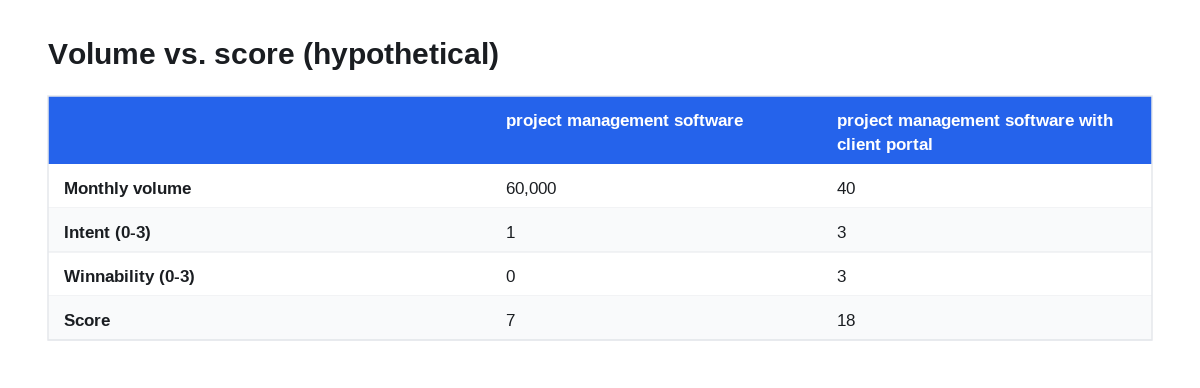
| project management software | 60,000 | 1 | 2 | 0 | 7 |
| what is a gantt chart | 20,000 | 0 | 1 | 1 | 3 |
| how to stop missing project deadlines | 500 | 1 | 2 | 2 | 9 |
| asana alternatives for small agencies | 300 | 2 | 3 | 2 | 14 |
| project management software with client portal | 40 | 3 | 3 | 3 | 18 |
Sorted by volume, the first two terms win. Sorted by score, the 40-search term leads and the 60,000-search term drops to fourth of five. The head term might still deserve a page later, but it is not where a small team should start.
Volume then breaks ties: if two terms both score 14, write about the larger one first.
Why low-volume terms can be worth it
A term with a handful of monthly searches can come from people with a specific requirement and a budget. One such buyer can be worth more than hundreds of casual visitors who wanted a definition.
The caveat: tiny volumes are noisy, and a single month of data tells you very little. Judge groups of related low-volume terms together rather than one at a time.
Step 5: Validate after publishing
Scores are hypotheses. Test them:
- Search Console: for each published page, record impressions, clicks, average position and the queries that actually triggered it. Check whether real queries match the intent you scored.
- Conversions: in your analytics, tag the signup, demo or purchase actions and attribute them to landing pages.
- Assisted conversions: include pages that appear earlier in a journey, since comparison and problem-aware posts often assist rather than close.
- Decide: after enough time and traffic to be meaningful, double down on page types that convert, refresh or merge pages that draw traffic but no action, and recalibrate your weights.
If several rung-2 pages convert and rung-1 pages do not, raise the intent weight. If the reverse happens, your buyers may need more education first.
Limits to keep in mind
- Intent labels, from tools or from you, are heuristics; the same query can mean different things to different people.
- Volume figures are estimates and vary between tools.
- I found no primary study in the supplied sources comparing conversion rates between buyer-intent and vanity terms, so the logic here is a reasoned method, not a proven ratio.
- Small samples can mislead; avoid pruning on a few weeks of data.
When automation helps
A spreadsheet plus Search Console is enough to run this process, and standard keyword tools can add volume and intent labels. If you would rather not do the filtering manually, PilotScribe is one option: the company states that it reads your site to understand what you sell, then targets buyer-intent searches using real Google search data instead of high-traffic vanity terms. That is a company claim, and you should still check its suggestions against the SERP and your own conversion data. It also offers a review window before articles publish.
FAQ
Should I ignore high-volume keywords entirely? No. Score them like any other term. They often rank low on winnability and intent, but they can suit awareness goals once you have authority.
How do I score a keyword with mixed intent? Use the SERP. If results are a blend of definitions and product pages, give it a middle intent score and lower winnability, since you cannot serve both with one page.
How many keywords should I score first? Start with 30–50 candidates. That is enough to see the pattern without turning the exercise into a project.